

No. This version is meant for students or personal learning purposes only.
-97%
Autodesk Robot Structural Analysis Professional | Windows – 365 days – Student Version
Original price was: Rs 47,060.Rs 1,540Current price is: Rs 1,540.
- The toolkits, mobile cloud access, and new features that are now included in the new and improved Autodesk Robot Structural Analysis Professional will help users work faster and be more efficient.
- 1 year of full program access license! Premium compatibility with access to previous versions of the program included (2019-2017)
- Full feature available compared to another version. It is digital delivery. There is no physical delivery
- It’s a Student. Version Full Feature Unlock as same as commercial Version
17
Items sold in last 3 minutes
415
People watching this product now!
Description
Reviews (92)
92 reviews for Autodesk Robot Structural Analysis Professional | Windows – 365 days – Student Version
1-5 of 92 reviews
Add a review
Currently, we are not accepting new reviews
Must-Read Before Purchasing Our Software
📋 Product Overview: Autodesk Subscription (1-Year)
- Duration: 1-Year Subscription
- Device Limit: 1 Device Only
- Compatibility: Version years 2023 through 2027 for all Autodesk products (AutoCAD, Revit, 3ds Max, etc.).
- Edition Type: Educational version with full functionality and all features unlocked.
- Quality Assurance: No brand name watermark and no educational wording on output documents.
- Delivery Method: Digital delivery via Email Only (takes 0 to 24 hours maximum, usually much faster).
- Older Versions Available: Support for editions like 2020, 2021, 2022, 2024, or 2025. Contact via WhatsApp or email at [email protected].
⭐ Why Choose This Offer?
- 100% Genuine License: Authentic Autodesk subscription.
- Official Download: Secure, direct download straight from the official Autodesk website (no sketchy third-party links).
- Elite 24/7 Support: Free, expert technical assistance available 7 days a week.
- Top-Rated Reliability: Backed by a stellar 4.9/5 average rating from thousands of satisfied users.
- Certified Expertise: Official partner for global giants (Microsoft, McAfee, Parallels, Kaspersky, etc.).
- Unbeatable Pricing: Legally reselling verified, "pre-owned" licenses in compliance with the CJEU ruling of 3 July 2012.
🛠️ How to Choose Your AutoCAD Edition (2024–2027)
- Match Your Hardware:
- Older Systems: Choose AutoCAD 2024 for smooth, optimized performance without lag.
- Modern Workstations: Select AutoCAD 2025, 2026, or 2027 to leverage enhanced processing speeds and advanced features.
- Check Feature Updates: Review Autodesk’s official release notes to find smarter workflows, cloud integrations, and toolsets matching your daily tasks.
- Coordinate with Your Team: Confirm requirements with clients, subcontractors, or collaborators to prevent file compatibility friction across shared projects.
🚀 Getting Started in 3 Easy Steps
- Purchase: Complete your order.
- Receive Email: Wait for your digital delivery details.
- Start Designing: Select your edition, Download, log in, and activate instantly.
❓ Frequently Asked Questions (FAQ)
- How will I receive my license after purchase?
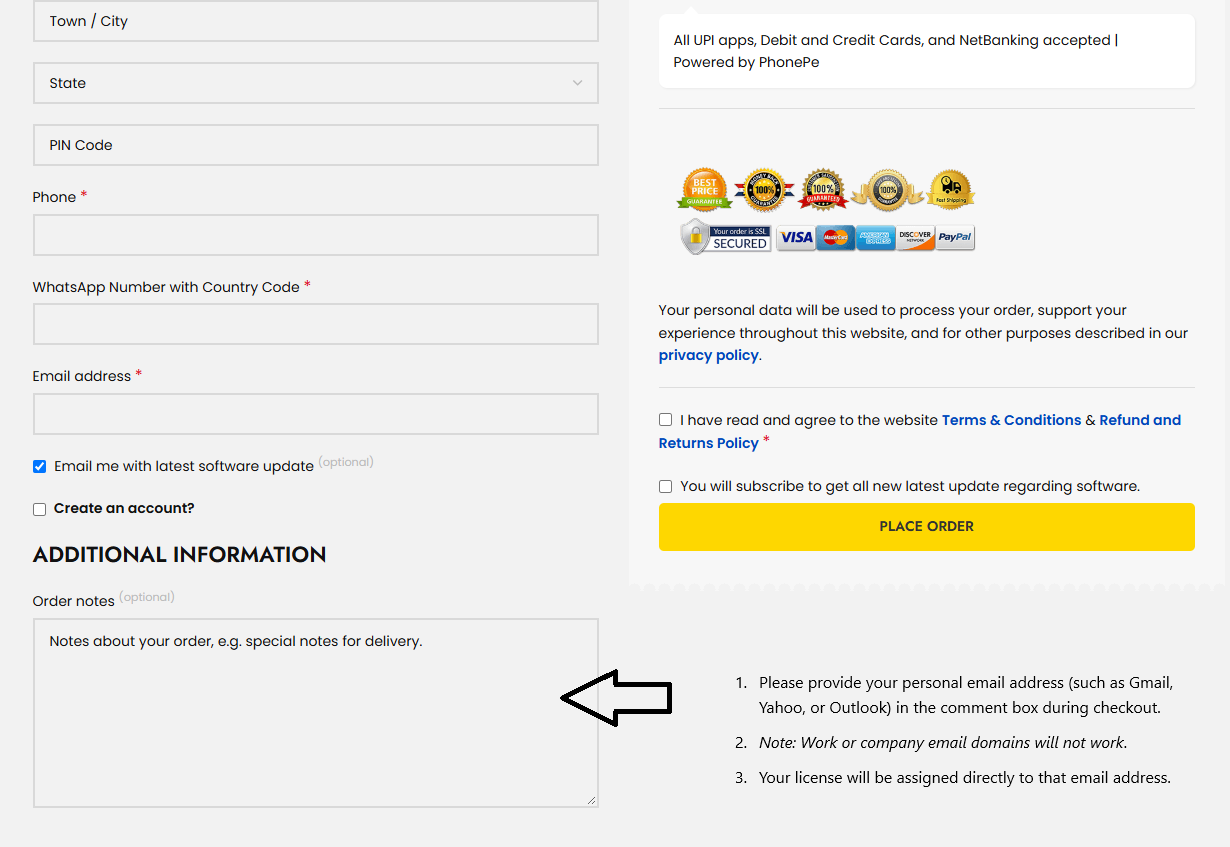
- Enter your email at checkout: Provide a personal email address (e.g., Gmail, Yahoo, Outlook) in the additional information - Order note box. (Note: Work or company email domains will not work).

- License assignment: Your license will be assigned directly to that email address.
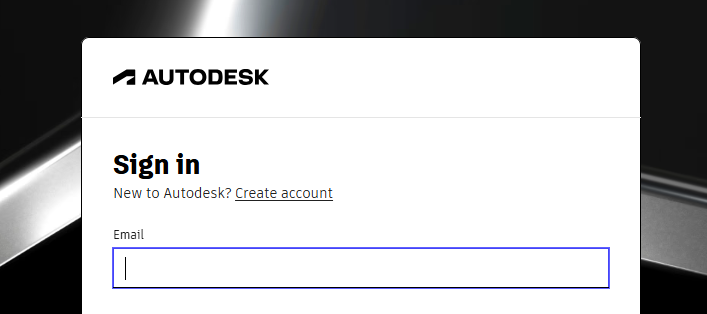
- Access software: Log in to the official Autodesk website using the same email to download and install.
- Tip: If you do not have an Autodesk account with that email, visit autodesk.com, click Login, and select Sign Up to create a new account.
- What should I do if I run into activation issues?
- Contact the free technical support team with a quick description and screenshots of the issue for a fast resolution.
- Can I buy a permanent (perpetual) Autodesk license?
- No. Autodesk has permanently transitioned to a subscription-only model (monthly, annual, or multi-year terms) to ensure ongoing access to security patches, feature updates, cloud services, and technical support.
For Commercial Version Click here - https://codesforever.com/autodesk-commercial/
Related products
-90%
Bundle Win 10 Pro + Office 2019 Professional Plus
Original price was: Rs 25,669.Rs 2,567Current price is: Rs 2,567.
-81%
Microsoft Office Home and Business 2019 for Mac
Original price was: Rs 25,669.Rs 4,963Current price is: Rs 4,963.
-70%
Microsoft Office 2016 Home & Student
Original price was: Rs 12,835.Rs 3,850Current price is: Rs 3,850.
-95%
Microsoft Office 2019 Professional Plus
Original price was: Rs 38,504.Rs 2,054Current price is: Rs 2,054.
-77%
Microsoft Office Professional Plus 2016 for 1User
Original price was: Rs 8,129.Rs 1,882Current price is: Rs 1,882.
-84%
Microsoft Windows 8.1 Professional
Original price was: Rs 6,417.Rs 1,027Current price is: Rs 1,027.
-91%
Windows 10 Pro for Workstation | Multilanguage | lifetime | 1User 1PC
Original price was: Rs 12,835.Rs 1,198Current price is: Rs 1,198.
-18%
Windows Server 2019 Standard Edition
Original price was: Rs 8,556.Rs 7,016Current price is: Rs 7,016.
Doing Business more than 4 year.. very Happy customer
Quick and Effective support
Couldn’t install properly the software.
I had purchased CORELDRAW . when i done installation i had faced issues so I contacted with support they replied and resolve all issues .Finally product get activated. As I am not so technical sounded so I am not know how to do ? But you guy did it for me. Thank you . God bless you