AutoCAD Electrical | For Windows | 1 year Student License

(77 customer reviews)

Original price was: R 2,036.Current price is: R 298.

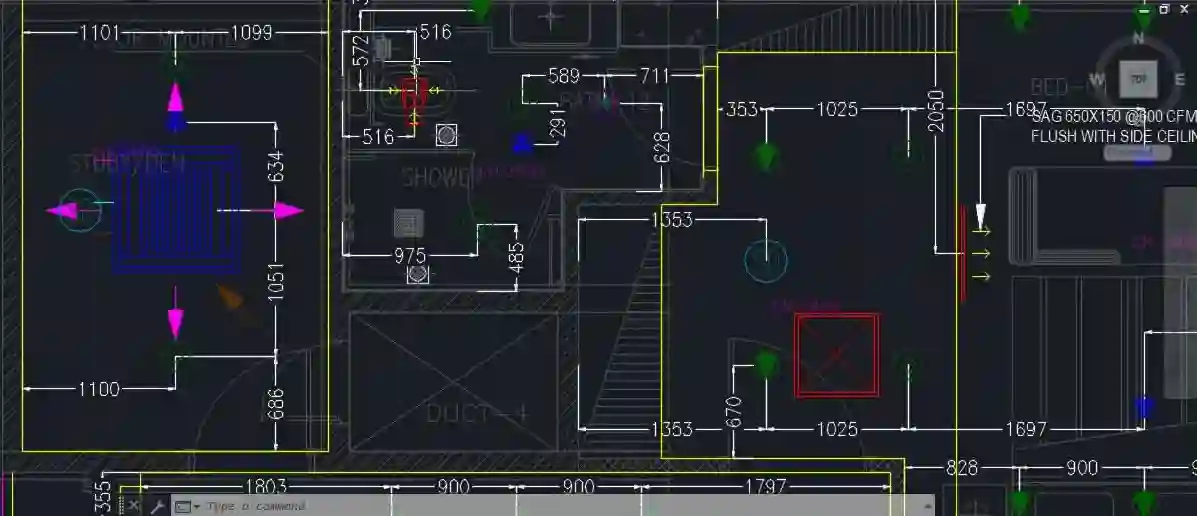
AutoCAD® Electrical software is the AutoCAD® software for electrical controls designers. Created for electrical control systems, AutoCAD Electrical design software includes all the functionality of AutoCAD plus a complete set of electrical CAD features. Comprehensive symbol libraries and tools for automating electrical design tasks help to save hours of effort, so electrical engineers can spend more time innovating.

42 Items sold in last 3 minutes
140 People watching this product now!
Description
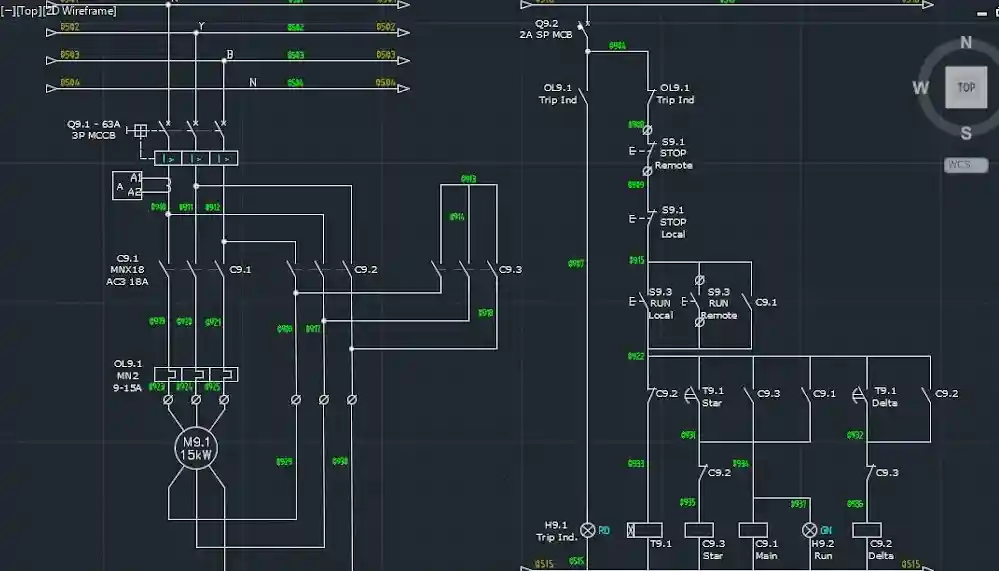
The industry-standard electrical design program AutoCAD Electrical 2024 for Windows enables student engineers and designers to effectively design, develop, and document electrical control systems. This one-year student license, designed specifically for academic usage, gives you complete access to AutoCAD Electrical's cutting-edge capabilities, allowing you to take use of cutting-edge technology while learning industry-standard procedures. You may begin designing right away when you get your authentic activation code and license key from Codesforever since you will receive a confirmed, authentic product instantaneously via digital download. Codesforever is the go-to resource for students hoping to succeed in electrical design because of its affordable prices and committed support.

autocad

Features

All-inclusive Electrical Design Tools
Advanced Schematic Design: A comprehensive set of tools for producing intricate electrical schematics is offered by AutoCAD Electrical 2024. With a comprehensive library of symbols and components, adding and editing wire diagrams, panel schedules, and circuit layouts is simple.

Automated Reports: Create electrical panel schedules, harness lists, and bills of materials automatically to increase accuracy and save time.

Symbol Libraries and Templates: Get access to a wealth of libraries and editable templates created especially for electrical systems, guaranteeing adherence to standards and effective design processes.

Intelligent Design Automation Error Checking and Validation: This software reduces human errors and enhances the overall quality of your schematics by incorporating tools for automatic error checking and design validation.

Dynamic Blocks: To keep uniformity across several projects and streamline repetitive activities, use dynamic blocks.

Real-Time Collaboration: To increase team productivity, collaborate in real-time with peers on the same project.

Easy-to-use Interface
Intuitive Workspace: Students may easily become proficient with the software rapidly thanks to its contemporary and user-friendly interface, which reduces the learning curve.

Customizable Workspaces: Adapt the experience to your workflow by personalizing your toolbars, menus, and panels to highlight the elements you use most.

Interactive Tutorials: You can efficiently navigate the software's extensive capabilities with the aid of built-in tutorials and assistance options.

Increased Efficiency
Automated Design activities: By streamlining repetitive activities, automation tools free up your time to concentrate on originality and creativity.

Time-saving Features: You may finish projects more quickly and accurately using tools that create wiring diagrams and reports automatically.

Integration with Other Autodesk Products: To produce a unified design environment, seamlessly integrate with other Autodesk tools.

AUTOCAD-electrical

Installation Guide

Step 1: Get Visit Codesforever and download it: Go to Codesforever's AutoCAD Electrical 2024 Student Licence page.

Protect Your License: After completing the transaction, you will immediately receive an email with your authentic activation code and license key.

Step 2: Installer download
Download Link: To download the AutoCAD Electrical installer for Windows, click the link in your email confirmation.

System Requirements: Confirm that your computer satisfies Autodesk's minimal system requirements.

Step 3: Launch the Wizard for Installation
Start the Installer: To start the installation procedure, open the downloaded file.

Observe the on-screen directions: Choose your installation path, accept the End-User License Agreement (EULA), and then follow the instructions until the installation is finished.

Step 4: Turn on your program
Launch AutoCAD Electrical: Start the software after it has been installed.

Enter Your Activation Code: Enter the Codesforever-provided activation code and license key when requested.

Verification: After confirming your login information, the program will unlock all of its capabilities for a year.

Step 5: Set Up Your Workspace and Adjust the Settings: Adapt your workspace, including menus and toolbars, to the needs of your project.

Conduct a Test Project: To make sure that all features are operational and functioning properly, carry out a sample project.

Why Choose Codesforever?

Assurance of Authenticity
100% authentic Autodesk software licenses are guaranteed by Codesforever. To guarantee that you get a safe, fully functional product free from the dangers of fake software, every activation code and license key is checked.

Competitive Rates
We guarantee that you will obtain premium software at a reasonable price with no additional costs thanks to our cheap pricing. Enjoy first-rate project management skills without going over your budget.

Immediate Digital Delivery
After your purchase, your license key and activation code are sent to you via email right away, so there's no waiting around. This allows you to save time by installing and activating AutoCAD Electrical right away.

Excellent Customer Service
For help with installation, activation, and troubleshooting, our committed customer support staff is on hand 24/7. We take great satisfaction in making sure everything runs smoothly and without incident.

Constant Updates and Future Benefits
Your program will stay up to date and functional for the duration of its license, which grants you access to all upcoming updates and security patches. Savor ongoing enhancements and long-term advantages that increase your project results and learning.

FAQ

Is the Autodesk activation code genuine?

Yes, every activation code and licence key from Codesforever is 100% genuine and verified.

How quickly will I receive my activation code?

Your activation code is delivered instantly via email after purchase.

Can I install AutoCAD Electrical on multiple devices?

This licence is intended for use on one PC only. For additional installations, please contact our sales team.

Are updates included with the licence?

Yes, your licence includes all future updates and security patches for the duration of the 1-year student licence.

For pupils who want to develop professional abilities in electrical design and automation, AutoCAD Electrical 2024 for Windows is a crucial tool. Its vast feature set guarantees that you will have an excellent, industry-standard experience, from sophisticated schematic development and error-checking tools to smooth connection with Autodesk's environment. You may be sure of prompt digital delivery, affordable prices, and ongoing customer service when you buy your authentic activation code and license key from Codesforever. Take the first step toward becoming an expert in the future of electrical engineering by enhancing your design projects and empowering your study with AutoCAD Electrical 2024.

Improve your abilities now. Set yourself up for success by purchasing your authentic AutoCAD Electrical 2024 student license from Codesforever.

Please note here in above article term "activation code , license key" means email license i.e (we will assign license to your email id) will be given . For more detail refer "Must Read" Tab

Additional information
Select Autodesk Version2024, 2025, 2026
Select Year1 Year
Reviews (77)

77 reviews for AutoCAD Electrical | For Windows | 1 year Student License

1-5 of 77 reviews
  1. perfetto totale – ogni volta che acquistiamo un’esperienza migliore, eccellente, tutto funziona bene

  2. second the delivery of keys are Quick only one of two time it take a day. other wise i got all the keys in the same day.

  3. Always there if you need assistance .I was unable to setup my software correctly so I called for assistance where they worked with until resolved. Very good support that can depend on!

  4. Contacted them and in five minutes got answer.

  5. Fast delivery , clear instructions worked very well

Add a review
Currently, we are not accepting new reviews
Must-Read Before Purchasing Our Software
  • If you have any questions, feel free to contact us by WhatsApp or Write to us at: [email protected] delivery all details are sent via Email Only. No physical delivery.
    The product is for one (1) device only. This is a 100 % Original Product.Delivery may take Up 0 to 24Hrs time Maximum, but generally, we deliver in less time .
    Read Our Product Delivery Policy, Refund & Return Policy at the Bottom of the Page.For any Query Regarding the Previous  Edition (OLD version)
    ( 2023,2022,2021,2020 Etc. ) for all Products of Autodesk ( AutoCAD, Revit,3Dmax etc. ).kindly WhatsApp or Email.It is educational version, complete with full functionality .all feature unlock
    The product has no brand name watermark, with no reference to the educational wording of the documents.For Commercial Version Click here - https://codesforever.com/autodesk-commercial/